Automated Security Testing in CI/CD: A Practical Guide for 2026
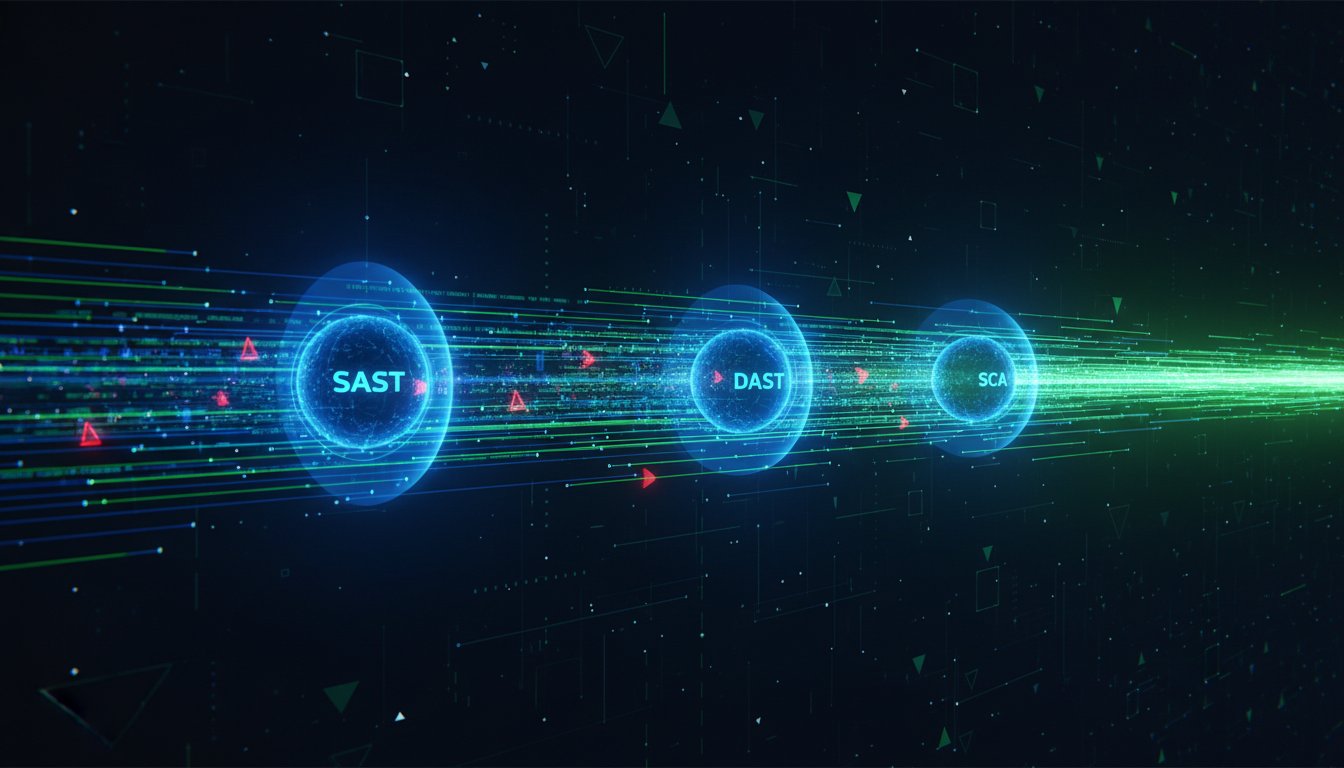
Mention 'security testing' to a developer, and you might see them flinch. Visions of stalled pipelines, endless false positives, and missed deadlines dance in their heads. It's the classic dilemma: move fast and risk breaking things, or lock everything down and grind development to a halt. But what if this was a false choice? By 2026, integrating robust automated security testing in ci/cd won't just be a best practice; it will be the defining line between market leaders and those left dealing with the fallout of a breach.
This practical guide is your blueprint for getting it right. We'll demystify the alphabet soup of security tools-SAST, DAST, SCA, and IAST-and show you exactly where each one fits into your pipeline, from the first commit to final deployment. You'll learn how to build a powerful, multi-layered security strategy that catches real threats without drowning your team in noise or becoming a bottleneck. It’s time to ship code that’s not just fast, but fundamentally secure.
Key Takeaways
- Adopt a "Shift-Left" security model to find and fix vulnerabilities early, preventing manual audits from becoming a bottleneck to your releases.
- Discover how to build a robust, multi-layered defense by combining different testing types to secure your source code, third-party dependencies, and live application.
- Implementing automated security testing in CI/CD provides developers with instant feedback, allowing them to fix flaws without slowing down development velocity.
- Learn how to orchestrate security alerts from multiple tools into a single, prioritized view to eliminate alert fatigue and focus on the risks that truly matter.
The Shift-Left Imperative: Why Traditional Security Fails in CI/CD
In modern software development, speed is everything. Continuous Integration and Continuous Delivery (CI/CD) pipelines have revolutionized how quickly we build and ship code. But this velocity creates a fundamental conflict with traditional security practices. Manual security audits and penetration tests that take weeks simply can't keep up with development cycles that last mere hours. This bottleneck doesn't just slow things down; it creates a dangerous gap where vulnerabilities are deployed to production faster than ever.
To see how teams are bridging this gap, this video provides a great overview of integrating security tests into CI/CD tools.
What is DevSecOps, really?
The solution is a cultural and technical shift known as DevSecOps. It's about moving security "left" in the development lifecycle, embedding it from the very beginning. Instead of a final security gatekeeper, security becomes a shared responsibility across development, security, and operations teams. The core idea is to automate security controls and feedback loops, aligning with established DevSecOps principles to build secure software from the start, rather than trying to patch vulnerabilities right before release.
The Four Key Stages for CI/CD Security Automation
Effective automated security testing in ci/cd isn't about a single tool or a one-time scan. It's a layered defense model that integrates security checks at every stage of the pipeline, providing rapid feedback to developers when it's cheapest and easiest to fix issues.
- Pre-Commit/Commit: Security starts on the developer's desktop. Tools analyze code for flaws and exposed secrets before it is even committed to the repository.
- Build/CI: As code is compiled and artifacts are created, automated scans check for vulnerable open-source dependencies, misconfigurations, and weaknesses in container images.
- Test/Staging: Once the application is running in a testing environment, dynamic analysis tools (DAST) can probe it for runtime vulnerabilities, mimicking real-world attack patterns.
- Post-Deployment: Security doesn't stop at release. Continuous monitoring and protection tools in production identify and block threats in real-time.
By failing to adopt this automated, layered approach, organizations leave the door wide open. The speed of CI/CD becomes a liability, accelerating the delivery of not just features, but also critical security flaws.
Layer 1: Securing Code at the Source (SAST & Secret Scanning)
The most effective security strategy begins at the earliest possible stage: the developer's keyboard. This "shift-left" approach, where security is integrated into the initial phases of development, is crucial for building resilient applications. This is where Static Application Security Testing (SAST) comes in. SAST is a 'white-box' testing method that analyzes your source code, byte code, or binaries for security vulnerabilities without executing the application. It acts as an automated code reviewer, identifying issues like SQL injection or buffer overflows before they ever reach a production environment. Understanding the business drivers for shifting left helps organizations appreciate how this proactive stance reduces remediation costs and development friction.
The primary advantage of SAST is its ability to provide immediate feedback. By integrating SAST tools directly into IDEs and Git repositories, developers can catch and fix vulnerabilities in real-time. However, this approach isn't without its challenges. SAST tools are known for producing a high number of false positives, which can lead to alert fatigue and cause developers to ignore legitimate warnings. The key is to fine-tune the tool's ruleset to focus on high-impact, high-confidence findings.
Implementing SAST in Your Workflow
To effectively integrate SAST without slowing down development, focus on automation and relevance. A well-structured implementation of automated security testing in CI/CD at this layer involves:
- Pre-commit hooks: Run lightweight, fast scans on a developer's local machine to catch simple errors before code is ever committed.
- Pull/Merge Request (PR/MR) checks: Integrate a more comprehensive SAST scan as a required status check, blocking merges that introduce critical vulnerabilities.
- Focused Rulesets: Start with a small set of high-confidence rules and expand over time to avoid overwhelming developers with low-priority alerts.
Alongside SAST, secret scanning is a non-negotiable security control. A single leaked API key, database password, or private certificate committed to a repository can lead to a catastrophic breach. Secret scanners automatically inspect code for patterns that match these sensitive credentials, providing an essential safety net.
Best Practices for Secret Scanning
Preventing accidental credential exposure requires a multi-layered defense:
- Never hardcode secrets. Centralize them in a dedicated secret management system like HashiCorp Vault, AWS Secrets Manager, or Azure Key Vault.
- Scan every commit. Automate secret scanning to run on every push to your repository, providing immediate alerts if a secret is detected.
- Rotate credentials regularly. Implement a policy for rotating keys and passwords to minimize the window of opportunity for an attacker if a leak does occur.
Layer 2: Analyzing Dependencies in the Build Stage (SCA)
Modern applications are not built from scratch; they are assembled. With industry reports showing that 80-90% of the code in today's software comes from open-source libraries, your project's security is fundamentally tied to the security of its dependencies. This reliance on external code creates a significant attack surface, which is why securing the build stage is a core tenet of the official NSA and CISA CI/CD Security Guidance. This is where Software Composition Analysis (SCA) becomes an indispensable layer of automated security testing in CI/CD.
SCA is the automated process of scanning your application's dependencies for known security vulnerabilities. By integrating an SCA tool directly into the build step of your pipeline (e.g., within a Jenkins or GitLab CI job), you can automatically identify and flag risks before they are packaged into an artifact. This "shift-left" approach ensures that developers get fast feedback on the components they are using, allowing for quick remediation.
How SCA Tools Work
SCA tools provide a systematic defense against third-party risk. Their process is straightforward but powerful:
- Generate an SBOM: First, the tool scans your project's manifest files (like
package.jsonorpom.xml) to create a Software Bill of Materials (SBOM)-a complete inventory of every component and its version. - Cross-Reference Databases: This SBOM is then checked against public and private vulnerability databases, such as the National Vulnerability Database (NVD), to find any components with known Common Vulnerabilities and Exposures (CVEs).
- Trigger Alerts: If a vulnerable dependency is found, the tool alerts the team by failing the build, creating a ticket, or sending a notification, based on configured policies.
Beyond Vulnerabilities: License Compliance
Effective SCA goes beyond just finding CVEs. These tools also identify the open-source license associated with each dependency (e.g., MIT, GPL, Apache 2.0). This is critical for avoiding legal and intellectual property risks that arise from using components with restrictive or incompatible licenses. You can configure policies to automatically flag or fail builds that introduce dependencies with non-compliant licenses, protecting your organization from costly legal entanglements down the line.
Finally, this is also the ideal stage to perform container image scanning. Much like application code, container base images (like Alpine or Ubuntu) contain their own set of system-level packages and libraries that can harbor vulnerabilities. Scanning the image during the build ensures a secure foundation before it's ever deployed.
Layer 3: Testing the Running Application with DAST
While previous layers focused on your code and its components, this layer tests the application as a whole. Dynamic Application Security Testing (DAST) is a "black-box" testing method. It interacts with your live application from the outside, with no knowledge of the internal source code, just as a real-world attacker would.
This approach is critical for finding runtime vulnerabilities like Cross-Site Scripting (XSS), SQL injection, and insecure server configurations that SAST simply cannot see. By simulating attacks on a fully deployed application, DAST provides a realistic assessment of your security posture. This stage fits perfectly into the test, staging, or QA environments within your pipeline, providing a crucial check before deployment.
SAST vs. DAST: A Quick Comparison
SAST and DAST are not competitors; they are essential, complementary partners in a robust security strategy. One examines the blueprint, while the other stress-tests the finished structure. Understanding their differences is key to implementing effective automated security testing in CI/CD.
- SAST (Static Testing)
- What it tests: Raw source code and dependencies.
- When it runs: Early in the pipeline, on commit or pull request.
- Pros: Fast feedback, finds coding flaws early, pinpoints exact line of code.
- Cons: Language-dependent, cannot find runtime or configuration errors.
- DAST (Dynamic Testing)
- What it tests: The compiled, running application.
- When it runs: Later in the pipeline, in a deployed environment.
- Pros: Language-agnostic, finds real-world, exploitable vulnerabilities.
- Cons: Traditionally slower, requires a running application to test.
The Role of AI in Modern DAST
Traditional DAST tools often struggle in agile environments. They can be slow, require complex configuration for modern web apps, and generate a high number of false positives, leading to alert fatigue for developers.
This is where AI changes the game. AI-powered DAST solutions, like Penetrify, automate the discovery of attack surfaces and intelligently probe for vulnerabilities, significantly reducing false positives and configuration overhead. By mimicking the logic of a human security researcher, AI makes it practical to run comprehensive security scans on every single build without slowing down your development velocity. Learn more about how this technology is evolving with our guide to AI-Powered Penetration Testing.
Orchestration: From Alert Chaos to Automated Triage
You've successfully integrated SAST, SCA, and DAST tools into your pipeline. The good news is you're finding vulnerabilities early. The bad news? Your team is drowning in a sea of alerts. This "alert fatigue" is a common roadblock, where legitimate, high-risk threats get lost in the noise of false positives and low-priority findings from multiple tools.
The solution isn't to test less; it's to manage findings more intelligently. This is where vulnerability correlation and management platforms become essential. These systems act as a central hub, ingesting data from all your security scanners. They can deduplicate identical issues found by different tools and use business context to prioritize the risks that pose a genuine threat to your organization. This turns a chaotic stream of data into a manageable, actionable workflow.
Strategies for Taming Alert Fatigue
A central platform is the first step, but your team also needs clear rules of engagement. By establishing a proactive strategy, you can ensure that security alerts empower developers rather than overwhelm them. Key strategies include:
- Set clear policies: Define exactly what constitutes a build-breaking vulnerability. For example, you might automatically fail any build that introduces a new "Critical" severity SQL injection flaw in a production-bound service.
- Use context to prioritize: Not all vulnerabilities carry the same risk. A flaw in an internal-only staging environment is less urgent than one in your public-facing customer API. Use this context to focus on what matters most.
- Integrate into developer workflows: Don't force developers into another dashboard. Pipe high-priority, verified findings directly into the tools they already live in, like Jira or Slack, to create tickets and trigger discussions automatically.
How Penetrify Simplifies CI/CD Security
While SAST and SCA are vital, DAST-testing your running application-is often the most complex part of automated security testing in ci/cd. Penetrify is engineered to solve this challenge. Our platform automates the DAST layer with an intelligent, AI-driven engine that moves beyond simple scanning.
Instead of a raw list of potential issues, Penetrify delivers verified findings and clear, actionable reports. We provide the context you need to understand the impact and the guidance required to fix it fast. This allows your team to stop chasing false positives and focus their valuable time on remediating the vulnerabilities that truly threaten your business.
Integrate intelligent security into your pipeline. Start your free scan.
From Code to Cloud: Securing Your CI/CD Pipeline
As we've explored, the future of development is inseparable from robust security. The key lies in shifting left-embedding security checks like SAST and SCA directly into your source and build stages. This isn't about adding roadblocks; it's about building a resilient, multi-layered defense that tests your code, dependencies, and running applications automatically. Effective automated security testing in ci/cd transforms security from a final-gate inspection into an integrated, continuous process that accelerates development without sacrificing protection.
Ready to move from theory to practice? See how Penetrify can streamline your security orchestration. Our AI-powered platform integrates seamlessly with your modern development workflows, automatically detecting critical security vulnerabilities and delivering actionable results in minutes, not weeks. Take the next step toward a truly secure pipeline.
Start Your Free AI-Powered Security Scan today and build your applications with confidence.
Frequently Asked Questions
What is the difference between SAST, DAST, and SCA?
SAST (Static Application Security Testing) analyzes your source code from the inside-out before the application is run, finding flaws like SQL injection. DAST (Dynamic Application Security Testing) tests the running application from the outside-in, mimicking an attacker to find vulnerabilities like Cross-Site Scripting (XSS). SCA (Software Composition Analysis) scans your project's dependencies to identify known vulnerabilities in third-party libraries and open-source components, such as a vulnerable version of Log4j.
How do you automate security testing in a CI/CD pipeline?
You can automate security testing by integrating security tools directly into your pipeline's stages. Using plugins or scripts in platforms like Jenkins, GitLab CI, or GitHub Actions, you can trigger scans on events like a code commit or a merge request. For example, a SAST tool can be configured to run automatically on every new pull request, failing the build if high-severity vulnerabilities are detected. This prevents insecure code from ever reaching the main branch.
At which stage should security testing be performed in CI/CD?
Security testing should be performed at multiple stages, following a "shift-left" approach. Start early with SAST and secret scanning during the commit and build phases. Use SCA during the build phase to check dependencies. In the test or staging phase, run DAST tools against the live application. Even in production, continuous monitoring and periodic DAST scans are crucial. Each stage provides a different layer of security, catching vulnerabilities as early as possible in the development lifecycle.
What are the most common security tools used in DevSecOps?
Common tools are often categorized by their function. For SAST, popular choices include SonarQube, Checkmarx, and Snyk Code. For DAST, teams frequently use OWASP ZAP, Burp Suite, and Invicti. When it comes to SCA for managing open-source dependencies, tools like Snyk Open Source, OWASP Dependency-Check, and Mend are widely adopted. For secret scanning, GitLeaks and TruffleHog are common choices to prevent credentials from being committed to repositories.
How can I implement automated security testing without slowing down deployments?
To implement automated security testing in CI/CD without slowing deployments, focus on efficiency and intelligent gating. Use incremental scans that only check new or modified code on each commit, rather than a full scan. Run security tests in parallel with other build and test jobs. Crucially, configure your pipeline to only block deployments for high-severity, high-confidence findings, while logging lower-risk issues for later review. This maintains velocity while still catching critical threats.
What is the role of OWASP Top 10 in CI/CD security?
The OWASP Top 10 serves as a critical awareness document and a foundational checklist for CI/CD security. Most automated security tools (SAST and DAST) are configured to specifically detect vulnerabilities listed in the Top 10, such as injection flaws, broken access control, and security misconfigurations. By focusing your testing strategy on these common and critical risks, you can prioritize efforts and ensure your automated pipeline effectively addresses the most significant threats to web applications.
Can automated testing completely replace manual penetration testing?
No, automated testing cannot completely replace manual penetration testing. Automated tools are excellent for continuously scanning for known vulnerabilities and common misconfigurations at scale, providing broad coverage. However, manual penetration testing is essential for discovering complex business logic flaws, chained exploits, and novel vulnerabilities that automated scanners miss. The two are complementary; automation provides continuous breadth, while manual testing provides critical, in-depth analysis of your application's unique risks.
How does Penetrify fit into a CI/CD pipeline?
Penetrify functions as an advanced DAST and Attack Surface Management (EASM) tool that can be integrated into the later stages of a CI/CD pipeline. After a successful deployment to a staging or pre-production environment, you can use a webhook or API call to trigger a Penetrify scan. This automates the process of testing the running application for real-world vulnerabilities, ensuring that each new release is validated for security before it is promoted to production, providing continuous security assurance.